Author: Rui

  • Coursera Data Science Specialization Capstone Project – thoughts

    Coursera Data Science Specialization Capstone Project – thoughts

    Finally, I am at the capstone project — after three years of on and off working on this coursera specialization, I am finally here.

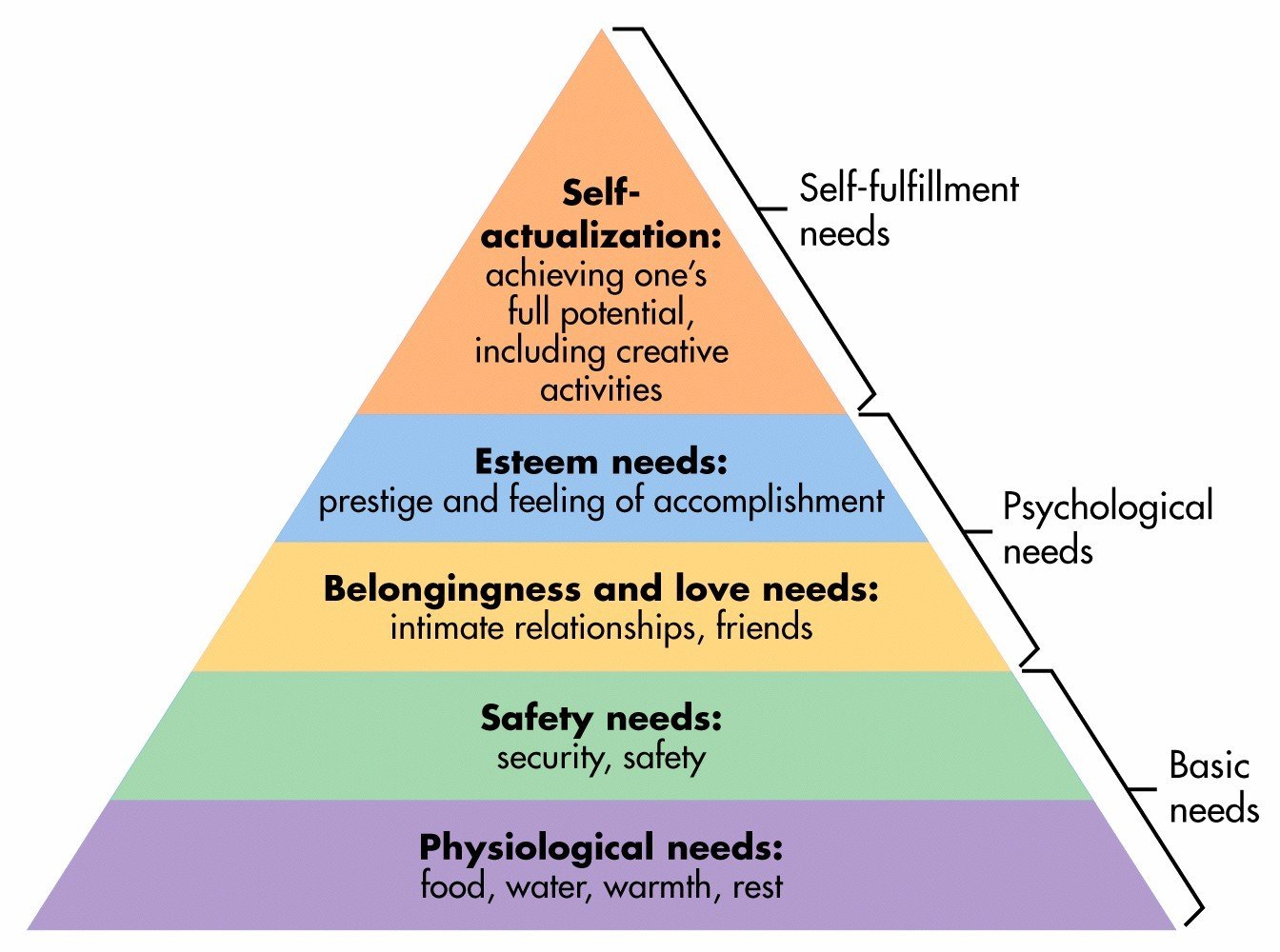
    The project is to give you a set of text documents, asking you to mine the texts, and come up your own model. So far, I am on week 2. I haven’t dived into the project deep enough yet, so don’t know how exactly I am going to mine the texts, and what kind of model I will be using. But since I was working on preparing for our 3-minute presentation of “what is your passion” last week, for our Monday team retreat at Leadercast, I came across the Maslow’s Needs Hierarchy. I think it would be neat to look at words in each level of the hierarchy, and see how frequent people use words in each hierarchy in their daily blog posts, tweets, and news.

    Maslow's Hierarchy

    To do this, I need to:

    1. Obtain a dictionary and have all words categorized into Maslow’s hierarchy
    2. Run all words in the files against the dictionary to determine which hierarchy they belong to.
      1. Calculate the frequency of each unique word
      2. Calculate the frequency of each level
    3. It would be fun to look at the frequency of each level in general; then look at the correlations between each level.
  • R Plotly Example

    R Plotly Example

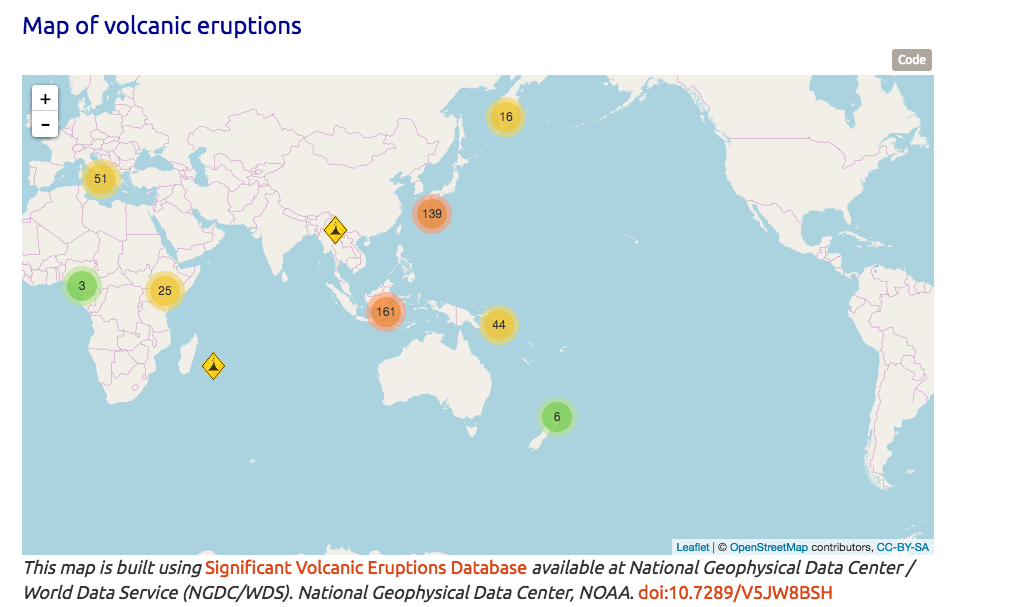
    Finishing up reviewing  Coursera Course Developing Data Products week 2 peer assignment, I saw this peer’s work and was impressed. Compared to this work, mine was minimum, even I got full score.
    In the future when there is chance, I will try to create something like this for my work.

    http://rpubs.com/ArtemYan/Eruptions_Map

  • Several things I Learned When Using D3.js to Import and Parse CSV File

    Several things I Learned When Using D3.js to Import and Parse CSV File

    First: what is the best structure for a data?

    CSV or Json, or depends? I read an article claiming that json is much better than csv – will try to find the link later, but right now, the client I am working to develop this visualization for, mainly work with excel spreadsheet, so I guess CSV is the only choice for now.

    Second: how to import and parse csv?

    For this question, I found a very good article here. Following this article’s second approach, I was able to parse the data and change the name of the columns at the same time.

    d3.csv("/data/cities.csv", function(d) {
      return {
        city : d.city,
        state : d.state,
        population : +d.population,
        land_area : +d["land area"]
      };
    }, function(data) {
      console.log(data[0]);
    });

    However, I soon found that the console kept telling me that my dataset was undefined. After googling, I found this stackoverflow answer, which perfectly explained why. Basically, d3.csv is asynchronous. The data you parsed inside of d3.csv will get destroyed once out of the function. So you either include everything you want to do within d3.csv, or you define several functions outside of the d3.csv, then call them from within the function. See below for the genius explanation.

    d3.csv is an asynchronous method. This means that code inside the callback function is run when the data is loaded, but code after and outside the callback function will be run immediately after the request is made, when the data is not yet available. In other words:

    first();
    d3.csv("path/to/file.csv", function(rows) {
      third();
    });
    second();

    If you want to use the data that is loaded by d3.csv, you either need to put that code inside the callback function (where third is, above):

    d3.csv("path/to/file.csv", function(rows) {
      doSomethingWithRows(rows);
    });
    
    function doSomethingWithRows(rows) {
      // do something with rows
    }

    Or, you might save it as a global variable on the window that you can then refer to later:

    var rows;
    
    d3.csv("path/to/file.csv", function(loadedRows) {
      rows = loadedRows;
      doSomethingWithRows();
    });
    
    function doSomethingWithRows() {
      // do something with rows
    }

    If you want, you can also assign the loaded data explicitly to the window object, rather than declaring a variable and then managing two different names:

    d3.csv("path/to/file.csv", function(rows) {
      window.rows = rows;
      doSomethingWithRows();
    });
    
    function doSomethingWithRows() {
      // do something with rows
    }

    Third: Why wouldn’t it work?

    Specifically, why would my numbers turn into “NaN” after using the +d approach? I was first able to import and parse the data into arrays, but of course all numbers were the type of strings with quote marks around them. So I used “+” to convert them. However, then I found in console that all numbers turned into “NaN.” After searching around, I found this was caused by the excel formatting: the original excel spreadsheet formatted the large numbers with commas for thousands — this caused NaN — I unchecked the formatting within Microsoft Excel. That fixed six of eight of the columns. However, there were still two columns shown as NaN, even after the de-formatting.

    What caused that?

    Looking closer, I found it was caused by one extra space at the end of the names of the first of the two misbehaving columns. I deleted the extra space, then both columns act normally now.


  • D3.JS- the Ultimate Javascript to Go for Data Visulization

    D3.JS- the Ultimate Javascript to Go for Data Visulization

    Alright, it has been 12 days since last time I updated here about my data driven chart creation journey. During the past 12 days, except for the three days of trip to Blueridge mountains with my wonderful husband and two lovely kids, along with my friends and their two pretty daughters, I sat/stood in front of my computer, tried, failed, grind my teeth, and tried again. Finally, here are what I found:

    • Although there are numerous sorts of js libraries allowing you to achieve all kinds of functions: stacked bar chart connected with data, animated charts, mouse hover over, etc… So far it seems that D3.js is the only one that can achieve almost “all functions I want.”
    • Anychart.js library, at the moment of writing this post, does not provide html5 based animation for most types of charts.
    • Google chart does not provide full functioning html5 chart animations.
    • D3 can work with Python — I should try to create a sankey diagram with d3 and R or Python, as my next project.
    • When working with large data, json seems to be more preferable than csv.
    • When drawing with svg, the (0,0) point is at the top left of the canvas. That makes the definition of coordinates and animation a little bit interesting.

    During this learning journey, I also learned to use jsfiddle and console.log with chrome and Firefox. I found Firefox’s console seems to be easier to use than Chrome’s. haha.

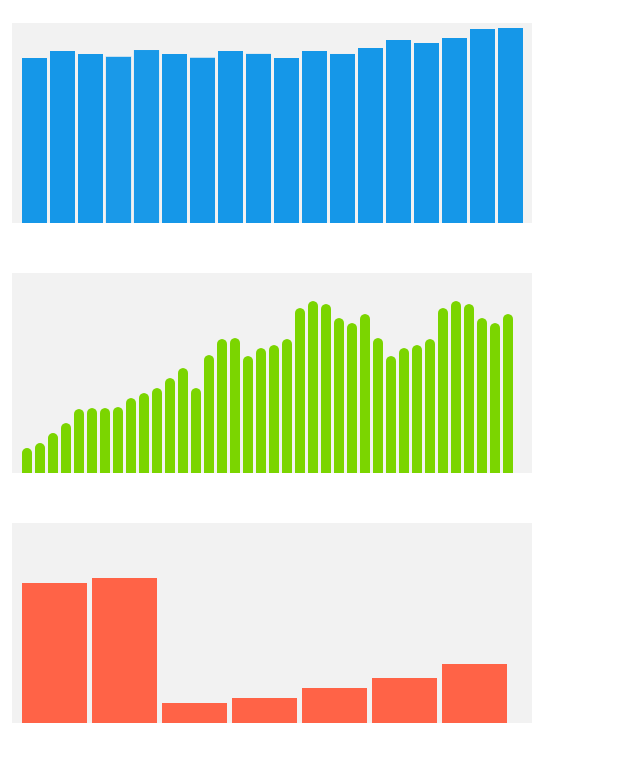
    Here is my first successfully run fiddle. What it does is to dynamically showing a growing stacked bar chart from the bottom to top — I know it sounds unnecessary, but this would be embedded into an online tutorial to show finance administrators at the place I work how to understand the structure of organizational budget.

  • Google Chart – Easy Tool to Create Interactive Chart

    Google Chart – Easy Tool to Create Interactive Chart

    Google tools have proved yet another time that how powerful and easy to use they are: after trying several different open source javascript chat tools, I found Google has a library called Google Charts, which can be easily modified and integrated to your own html.

    Follow instruction on this page to get a quick start and build upon your own charts.

    One notable point is that Google chat’s bar charts are all horizontal. If you want to create vertical bar charts, then you will want to choose “column charts” instead of “bar charts.”

    Another small thing that is probably common sense for programmers but may not be known for people like me is that: be careful to include special symbols such as the single quotation mark ‘  in your text area when you create the chart. Javascript would consider things after it being non-texts therefore won’t render the chart. For example, this chunk of code will stop the chart from rendering:

    var options = {'title':'Rui's First Google Chart',
                           'width':400,
                           'height':300};

    While this would be fine:

    var options = {'title':'My First Google Chart',
                           'width':400,
                           'height':300};
  • Interactive Data Visualization – Interactive Charts

    Interactive Data Visualization – Interactive Charts

    One task of my recent work requires me to design this series of stackable charts and make them visually interesting. An easy way to go is to put colored blocks in Articulate Storyline proportionally and make them appear, enlarge, disappear, and relate. But I think a fun way to do it is to use a JS library to realize it. I haven’t done much (if any) interactive data visualization at this point, except for a few data visualization projects from the Coursera course I took before, using R Shiny, Shiny Gadgets, and googleVis packages.
    So I am starting new exploration now.
    So far, here are the websites that I found interesting/useful:
    Anychart:

    https://www.anychart.com/chartopedia/usage/chart-to-show-proportion/

    I like this website since it provides source and real time results. Cons: the colorplatte they use is not very attractive. Although this can be changed within their CSS style sheet.


    A showcase from framJS:

    http://share.framerjs.com/z0ctpyo8u71w/

    It seems to have no data connected but have this cool magnifying effect when hover over. Pretty cool.


  • How much should you know as a learning researcher?

    How much should you know as a learning researcher?

    robot-507811_1280Coming out of school as a Ph.D in instructional technology, I had accumulated quite amount of reading (if not knowledge) of psychology, education, and sociology. However, how much you should know about technology? As a researcher of human learning, what should be the composition of your knowledge domain?

    Right now I work as an instructional designer at a research university, designing online courses for the professional education sector. The university I work at is Georgia Tech, ranking #7 in public universities of USA and heavily focusing on STEM. We have some world top level professors and researchers. Being in this environment, I try to take advantage of it, and to understand more about what our faculty on campus on doing in the field of learning research. Therefore, in my self learning time, I started reading articles about research projects done by our faculty. Soon, I notice that these articles heavily focus on AI (Artificial Intelligence) and ML (Machine Learning). I started feeling interested – what are the definitions of AI and ML, and what are the knowledges scopes of these two areas? How are they related to our traditional educational research fields, i.e. education, psychology and sociology? Are they completely are two different parallel universes? Or most likely, they intercorrelate and overlap? If they do intercorrelate and overlap, how do they do that?

    It will be interesting to conduct a literature review on papers published on main streamed journals on both side: AI and ML research led by STEM faculties, and educational research led by educational faculty.

    Things to be considered: names of journals in the areas of instructional technology and AI/ML, conference names; main knowledge models/theoretical frameworks; main research methods; main research participants; main funding resources and funding amount.


  • “Client Changes” and “Billable Hours”

    I was searching for a keyboard shortcut key and found this interesting discussion about how the op’s client kept asking him to change the fonts, color and size of his design – I believe everyone designer who works with customers has dealt with this type of clients before, and sometime it could be pretty painful.

    So here is one response I think is very smart and I am pasting it here, just in case one day I am going to use it: “Mark -I know all those changes are a PITA, but I do hope you make it clear to the client that changes which aren’t your mistake are billable “client changes”.

    Instructional design, like all other design work, sometimes is a customer service, and you really do want to make your customers happy. But sometimes we do have to set up the fine line, between “good customer service” and “unlimited service in the cost of harming ourselves”.

  • A very good kinetic typography after effects tutorial

    A very good kinetic typography after effects tutorial

    I believe many instructional designers have come across the same dilemma: sometimes it is just hard to find right images and video for the instructional materials. The content expert sent you a big word document with all the contents that s/he wants to put into the course. However the content is so abstract and it is hard to find good images to come with the content. Not to mention if you don’t have the budget to pay $2000 per year for a stock photo account.

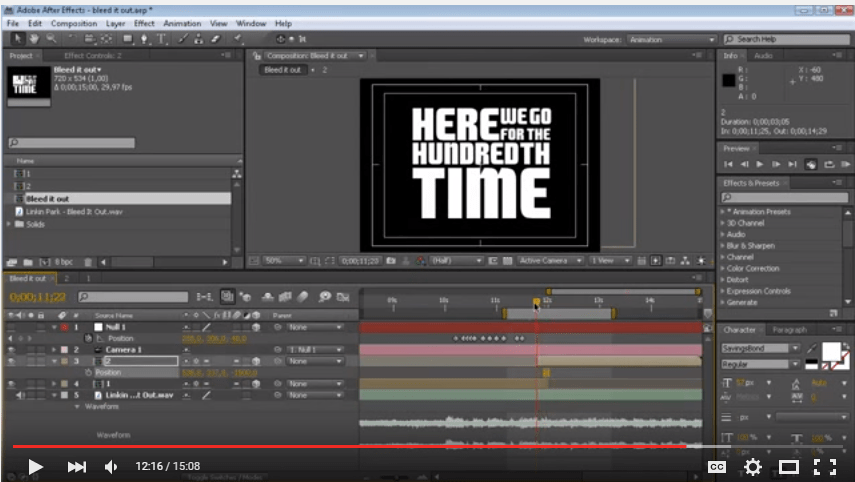
    So I found Kinetic Typography can help. I started exploring ways to make Kinetic Typography videos two days ago. After downloading a couple of kinetic Typography templates and trying them out, I figured the best way to make a kinetic typography video is to start from the scratch. Because the animation of texts have to be so closely paired with their meaning, and the specific tune of your video, it is actually not worth the time to try to modify an existing kinetic typography template. Instead, it is probably more time efficient to start from scratch.

    So I found this very good and detailed video tutorial:

     typographyTutorial

  • Alison Nederveld interactive resume – awesome!

    Alison Nederveld interactive resume – awesome!

    allisonResume

    https://dl.dropboxusercontent.com/u/8494879/NedResume/story.html


    Template available here: https://community.articulate.com/download/clean-resume-template